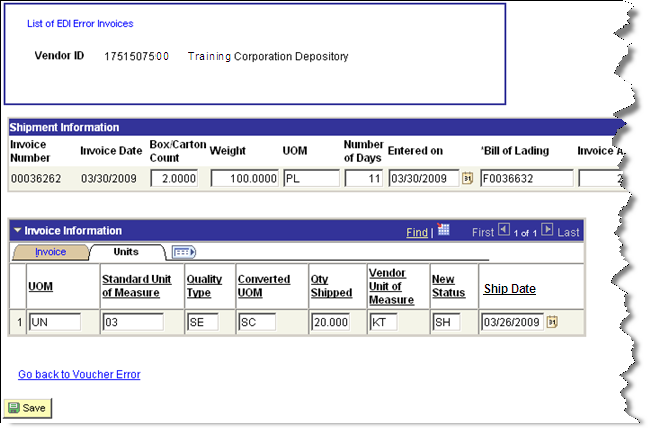
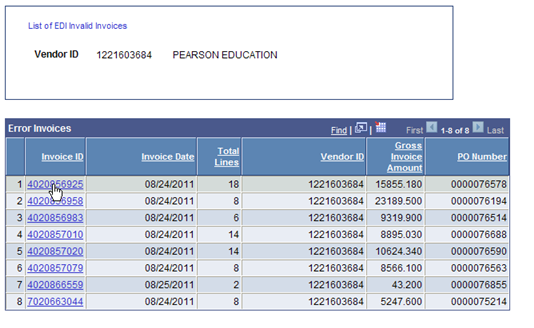
The Error Vouchers page displays a list of invalid invoices. If the EDI transactions sent to TEA by the depository do not match the purchase orders sent to the depository, an error is generated and that voucher is added to the list of errors.
The following items can cause an error on a voucher:
Header Information |
|
Missing bill of lading |
Missing purchase order ID |
Missing requisition ID |
Missing gross weight |
Missing box count |
Line totals don't match the Header invoice amount |
Purchase order ID mismatch |
Missing purchase order amount |
Ship quantity is zero |
Weight is zero |
School district/ISD is missing |
Purchase order does not exist in EMAT |
Line Information |
|
Price mismatch to purchase order line |
Sum of Item Received Quantity is > purchase order quantity |
ISBN not found |
Purchase order ID/line mismatch |
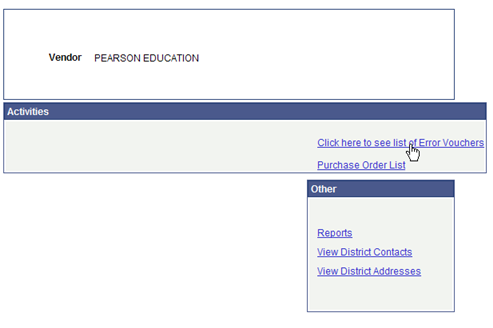
On the Vendor Start Page, click Click here to see list of Error Vouchers.
A list of invoices with errors appears, along with the invoice date, vendor ID, gross invoice amount, and PO number. To see details for one of the invoices, click the Invoice ID link.
The detail page has two sections: Shipment Information, which contains details related to the entire order and Invoice Information, which contains line item information. In the example below, the error messages indicate that line total does not match the invoice amount. Note that the Calculated Invoice Amount shown in the header section shows $360.00, but the Line Total in the Invoice section only shows the amount for the first invoice.
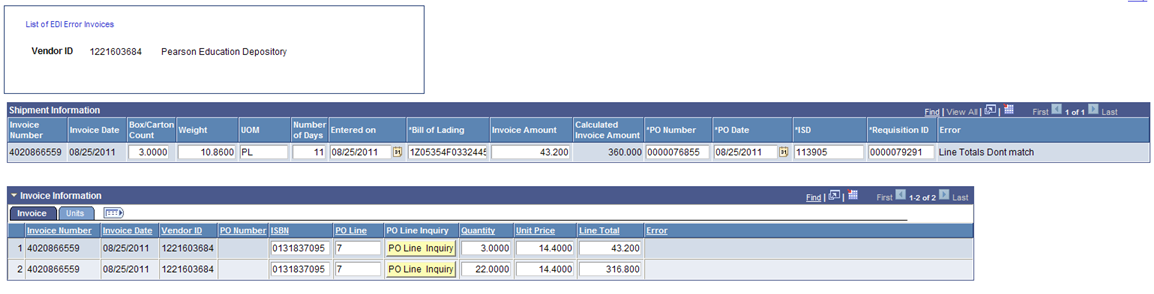
The PO Line Inquiry button provides a display only page, showing details for that line item. If you look at that page, click the Go Back button to return to the PO Error page. After all errors are corrected, click on the Save button.
Correct any errors as needed. In the example, to correct the error, enter the correct amount in the Invoice Amount field.
The other available tab on the Error Invoices page shows the unit information. If the error indicates a problem with quantity shipped, unit of measure or the New Status, it must be corrected on the Units tab. The status must be listed as "SH" for "shipped", “BP” for Shipment Partial or “BO” for Back Order.
Next, click on the Go back to voucher error link. Note that the invoice you corrected is no longer shown in the list of invoice errors.